What to Do When NBM Portal Shows Rejected Status Update 2026
Seeing Rejected on your NBM Portal application can be discouraging, but it does not always mean the end of your chances. In many cases, applications are rejected due to small mistakes, incorrect details, or missing documents — and these can be fixed.
Let’s walk through what Rejected really means and what you should do step by step.
Why NBM Applications Get Rejected
Here are the most common reasons:
Incorrect or Mismatched Details
If your personal information (name, date of birth, Aadhaar number, family members) doesn’t match government records, the system may reject your application.
Wrong or Incomplete Documents
If the uploaded documents are unclear, incomplete, expired, or don’t match what the scheme requires, your application may not be accepted.
Inaccurate Income or Caste Information
Many schemes require income proofs or caste certificates. If these are outdated or don’t match government databases, rejection is likely.
Duplicate Applications
Submitting the same application more than once can lead to automatic rejection by the system.
Eligibility Requirement Not Met
If you did not check eligibility correctly before applying, the system may reject the application for that reason.
You can also read: Why Some NBM Schemes Don’t Allow Application Update 2026
What Rejected Really Means
When a status shows Rejected, it means your application was reviewed and found to have an issue based on the system rules. But it does not mean:
Most rejections are simply due to data problems or missing details that can be corrected.
What You Should Do Next
Follow these steps to fix a rejection and reapply successfully:
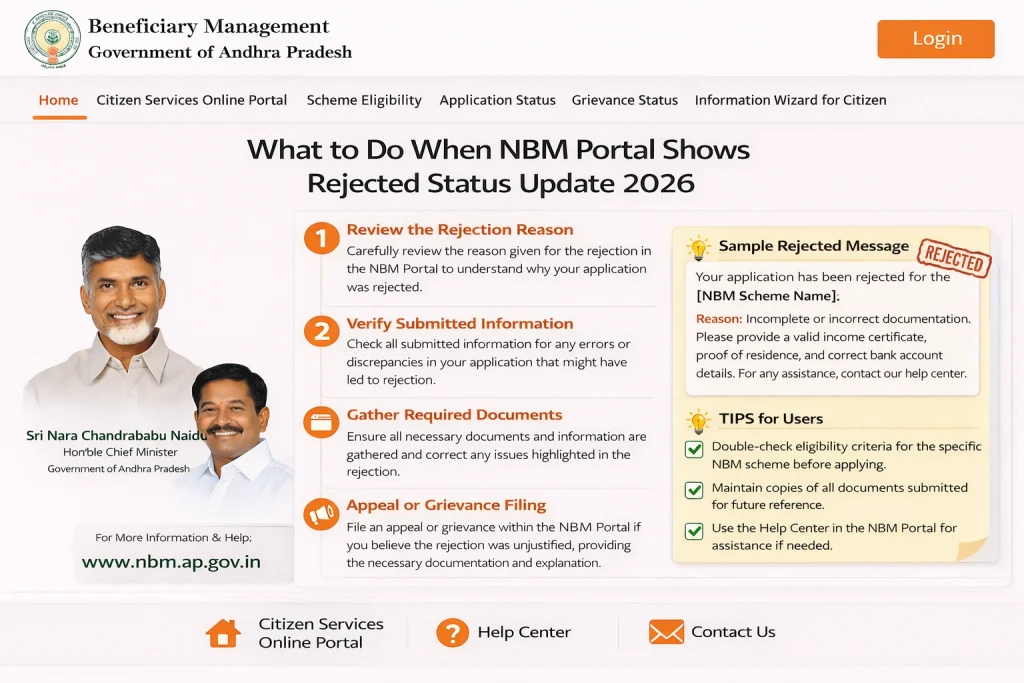
- Go to Application Status and look for any comments or reasons provided. Many times, the portal will show a short explanation.
- Check all your submitted information:
- Name spelling
- Date of birth
- Aadhaar number
- Income details
- Family member information
- Make sure they match your original documents exactly.
- If a document was unclear or wrong:
- Get a fresh copy (for example, a new income certificate)
- Take clear photos or scans
- Upload them correctly
- If the portal doesn’t allow direct upload after rejection, go to a local office.
- If the rejection was due to mismatched data (income, caste, Aadhaar), visit the correct authority:
- Aadhaar Enrollment/Update Center – to fix Aadhaar details
- Gram Sachivalayam Office – for income, caste, family details
- Once updated, wait for a day or two for changes to reflect in government databases and the portal.
- After fixing details, run the Eligibility Check again before submitting the application a second time.
- This step helps avoid repeated rejections.
- Once everything is updated and eligibility is confirmed:
- Log in to the NBM Portal
- Complete the application again
- Upload accurate documents
- Submit
- Always double‑check details before final submission.
When to Visit Local Offices for Help
If you are still unsure why your application was rejected, or you keep getting rejected after trying these steps, visit:
They can:
FAQs
Final Words
A Rejected status on the NBM Portal doesn’t mean the end of the road. It’s often a signal that something needs to be fixed — and most of the time, you can fix it with a little effort.
Start by checking the rejection reason, verify your details and documents, correct anything that’s wrong, and reapply after running the eligibility check again.
With patience and accurate information, your application can move from Rejected to Approved. And if you ever feel stuck, your local Gram Sachivalayam or welfare office is there to help.