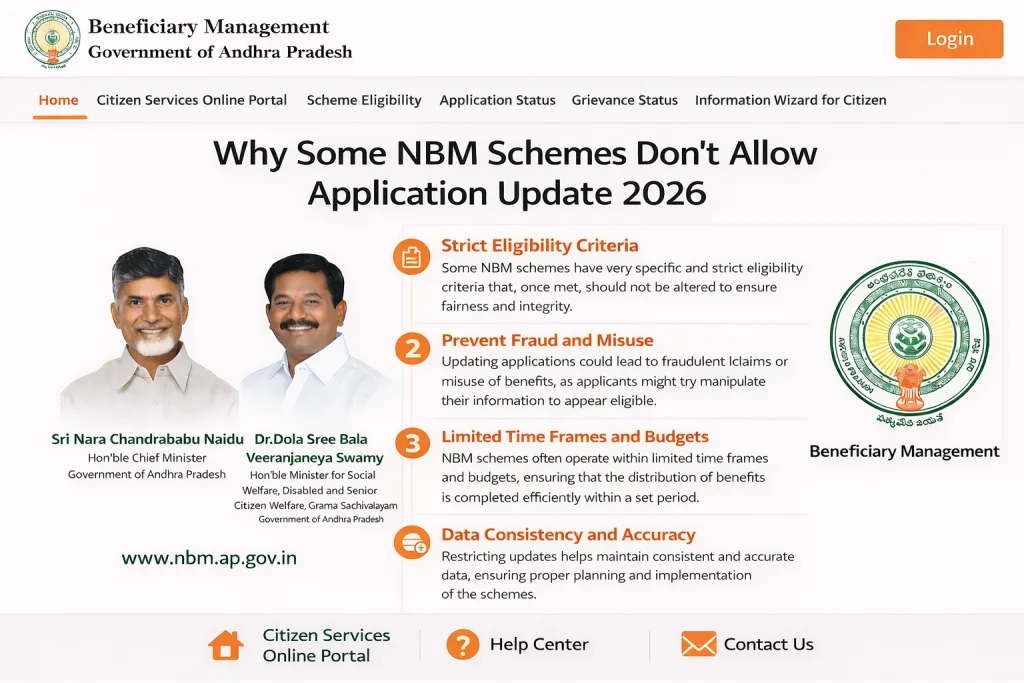
Why Some NBM Schemes Don’t Allow Application Update 2026
Sometimes people go to the NBM Portal ready to apply, but they find that the Apply button is missing or greyed out for certain schemes. This is confusing, especially when they thought they were eligible. Here are the most common reasons this happens, explained in simple terms:
Eligibility Criteria Not Met Yet
Before you apply, the portal checks if you meet the basic eligibility rules for that scheme. If you don’t meet them, the portal may not show the option to apply at all. This is a way to prevent people from submitting applications that are likely to be rejected later.
For example, certain schemes may require:
You can also read: How to Update Income and Family Info in NBM Portal 2026
Data Does Not Match Government Records
The NBM Portal uses data from official sources like Aadhaar and other government databases. If your Aadhaar details are incomplete or conflict with records (such as income or caste), the portal may block the application option.
This is common when:
The Scheme Isn’t Open Yet
Some schemes are only open for applications during certain periods. If the Government has not opened the scheme for a new round of applications, the portal may show the eligibility check result but not the Apply button.
In this case, the portal waits until the official application window opens before allowing submissions.
The Scheme Has Reached Its Target Limit
For some welfare programs, the portal may temporarily pause applications if the target number of beneficiaries is reached for that cycle. In such cases, you might be shown eligibility results, but you won’t be able to apply until the next cycle.
Technical or Server Issues
Sometimes the reason is not eligibility at all — it is simply a technical glitch on the portal. The NBM system may not load the apply option correctly due to server maintenance, site updates, or temporary errors.
If this seems likely:
Simple Checklist: If You Can’t Apply
Try this before assuming you’re ineligible:
Common Problems with NBM Application Forms
When applying for schemes on the NBM Portal, common issues arise, including missing documents, errors in personal details, or improper submission formats. These issues can delay the process or lead to a rejection. Here are some of the common problems and how to avoid them:
Incomplete Documents: Ensure all required documents are attached before submitting your application.
Incorrect Name or Data: Always double-check your name, Aadhaar number, and other personal details for accuracy.
Incorrect Scheme Selection: Make sure you’ve chosen the right scheme before proceeding to avoid errors in eligibility checks.
These minor mistakes can cause unnecessary delays, so always review your application carefully before submission.
How to Fix Your Application if It’s Rejected
If your application is rejected, don’t panic. Follow these simple steps to identify and resolve the issue:
Check the Status: Visit the Application Status section to see why your application was rejected.
Verify Personal Information: If there’s a mismatch in your data (like Aadhaar details or income), correct it on the portal.
Contact the Local Office: If you’re unable to resolve the issue online, your local Gram Sachivalayam office can help.
By fixing the problem quickly, you can resubmit your application and increase your chances of approval.
FAQs
Final Words
Understanding why some NBM schemes don’t allow application is essential to avoid frustration during the process. Whether it’s due to eligibility issues, data mismatches, or application windows being closed, the NBM Portal aims to streamline the process, but being aware of these common reasons can save you time.
By ensuring your documents are correct, checking eligibility first, and being aware of the portal’s operational periods, you can navigate the system more efficiently. Remember, if you face issues or rejections, there are always ways to fix them and reapply.
If you need more help or specific instructions on how to proceed, don’t hesitate to reach out to your local Gram Sachivalayam office.