How to Change Scheme in Navasakam Portal After Submission
If you’ve already submitted your application on the Navasakam Beneficiary Management (NBM) Portal and want to change the scheme you applied for, you might be wondering if that’s possible. While making changes after submission can be tricky, this guide will walk you through what you can do.
Can You Change the Scheme After Submission?
Once you’ve submitted your application on the Navasakam Portal, making changes to the scheme selection is not usually allowed directly on the portal. The system is designed to process your application based on the scheme you chose at the time of submission.
However, that doesn’t mean all hope is lost. There are still some ways to handle this situation.
You can also read: Can You Check NBM Application Status Without OTP Update 2026?
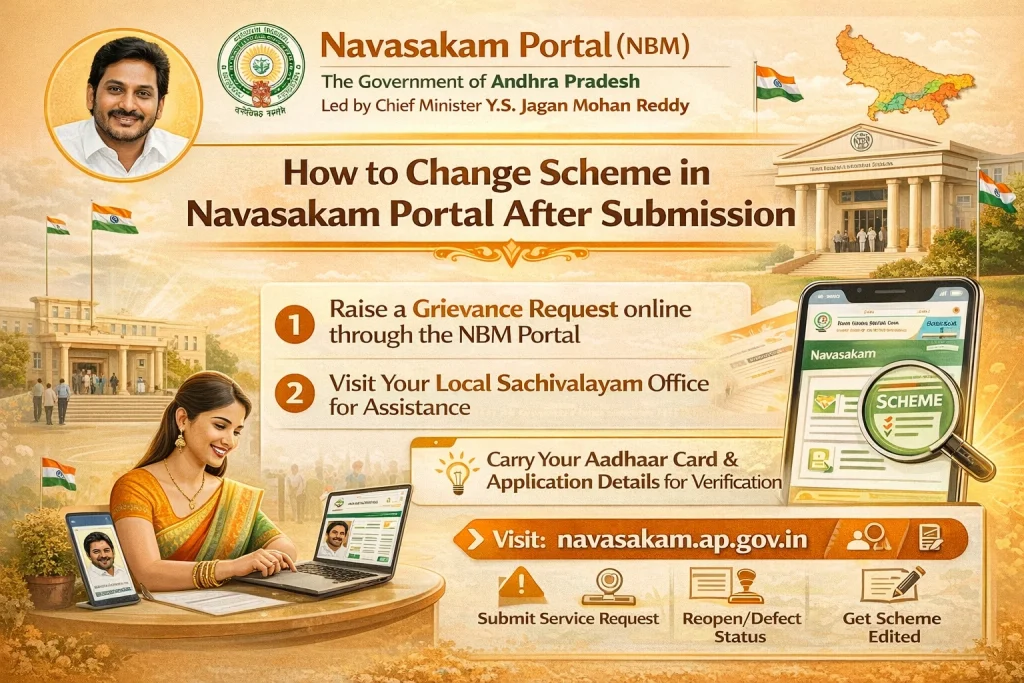
Steps to Take if You Want to Change the Scheme
If you realize you need to switch to a different scheme after submission, follow these steps:
Contact Local Navasakam Help Desk or Seva Center
The first thing you should do is contact your local Seva center or the Navasakam Help Desk. Explain your situation to them and ask if they can assist in updating your application to the correct scheme.
Check If You Can Withdraw and Reapply
If the system does not allow for any direct edits after submission, you may be asked to withdraw your original application and submit a new one for the correct scheme.
Request for Scheme Change through the Portal
In some cases, the Navasakam Portal may allow you to modify your application for a limited period after submission. If this feature is available:
If the option isn’t visible, then you’ll need to follow the other steps mentioned above.
What Happens If You Submit the Wrong Scheme?
Submitting the wrong scheme application may delay the processing of your benefits or cause your application to be rejected. Here’s how to handle the situation if it’s too late to change your scheme:
Check Status Regularly: Monitor your application status on the Navasakam Portal. If the system detects an issue, such as a mismatch of documents or scheme selection, your application might be flagged for review.
Consult Local Authorities: If your application is rejected due to scheme mismatch, go to your Seva center and provide proof or clarification about why the wrong scheme was selected. In some cases, they may allow you to reapply or make corrections.
Things to Keep in Mind
Act Quickly: If you realize you’ve chosen the wrong scheme, try to make the change as soon as possible. The longer you wait, the more complicated it may get.
Provide Supporting Documents: When changing a scheme, you may need to provide supporting documents or justification for why the change is needed.
Be Prepared to Reapply: If it’s not possible to change your scheme directly, be ready to withdraw the application and submit a new one.
FAQs
Final Words
While it may not always be easy to change the scheme after submitting your application on the Navasakam Portal, there are options available. You may need to contact the Seva center or the help desk for assistance. If they can’t make the change, withdrawing and reapplying for the correct scheme is usually the best option.
Make sure to carefully choose your scheme before submission, as making changes afterward could delay your application or cause complications. But don’t worry, help is always available at local centers, so if you need assistance, reach out right away.