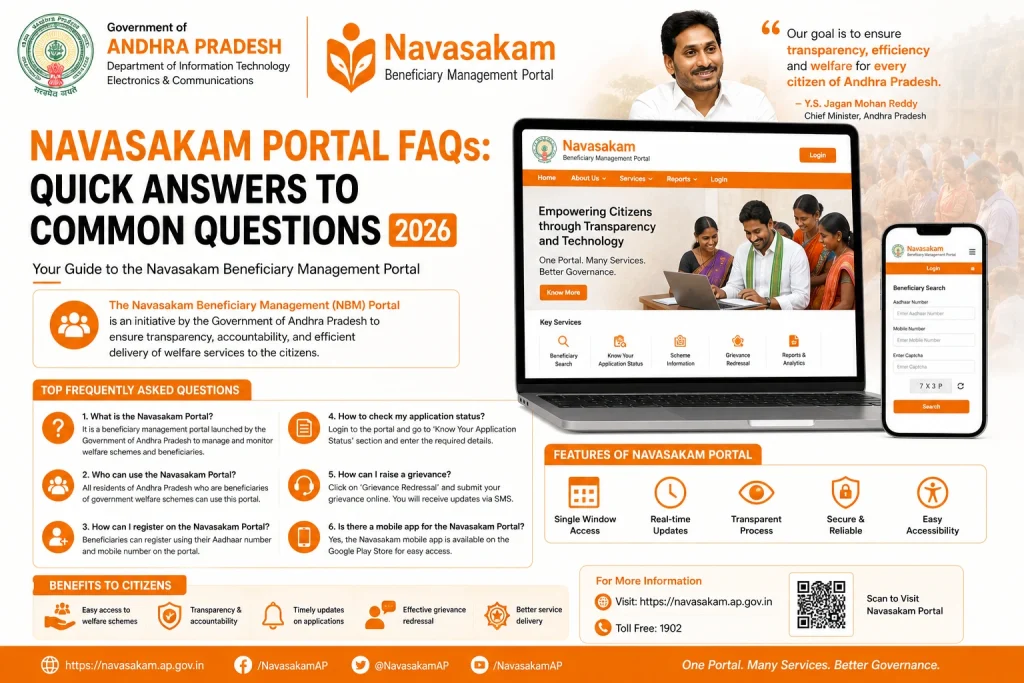
Navasakam Portal FAQs: Quick Answers to Common Questions 2026
The YSR Navasakam Portal is an essential online platform for residents of Andhra Pradesh to apply for welfare schemes, check eligibility, and track application statuses. If you’re new to the portal or facing any issues, don’t worry! Below are some frequently asked questions (FAQs) to help guide you through the process.
What is the Navasakam Portal?
The YSR Navasakam Portal is an online platform launched by the Andhra Pradesh Government to provide citizens with easy access to various welfare schemes. It allows users to:
You can also read: How to Check YSR Cheyutha Status on Navasakam Portal (2026)
How Do I Register for the Navasakam Portal?
You don’t need to register separately on the portal. To access the portal:
What Documents Do I Need to Upload?
The required documents depend on the scheme you’re applying for. However, here are some commonly needed documents:
Make sure all documents are clear, readable, and in the correct file format (PDF, JPG, or PNG).
What Happens After I Apply for a Scheme?
After you submit your application on the Navasakam Portal, the status of your application will be processed. You can check the status in real-time by:
The portal will update you on whether your application is under review, approved, rejected, or disbursed.
How Can I Check My Application Status?
To check your application status:
The status will show the current progress of your application. If it’s still under review, be patient as the process may take some time.
What Should I Do if My Application Status Shows “Rejected”?
If your application is rejected, the portal will typically provide a reason. Common reasons for rejection include:
Here’s what you can do:
How Can I Update My Details on the Navasakam Portal?
To update your details:
If you can’t update certain details yourself, you may need to visit the nearest government office to make corrections.
Can I Use the Portal on My Mobile Phone?
Yes, the Navasakam Portal is mobile-friendly and can be accessed from any smartphone with an internet connection. Simply visit the portal’s website, log in, and follow the steps for eligibility checks, application submissions, or status tracking.
What If I Don’t Receive the OTP?
If you don’t receive the OTP:
If the problem persists, check with the Aadhaar center to ensure your mobile number is correctly linked.
Is There a Fee to Use the Navasakam Portal?
No, the Navasakam Portal is free to use. All services, including application submissions, eligibility checks, and status tracking, are available without any charges.
FAQs
Final Words
The YSR Navasakam Portal is a valuable tool for accessing welfare schemes and tracking the status of your application. With the quick answers above, you now have a clearer understanding of how to navigate the portal, resolve common issues, and get the assistance you need.
If you have further questions or run into any problems, don’t hesitate to reach out to the portal’s support team. Stay informed, and good luck with your applications!