How to Track NBM Application Status with Aadhaar Update 2026
If you’ve applied for a welfare scheme through the NBM Portal (Navasakam Beneficiary Management Portal) and want to track your application status, you can easily do so using your Aadhaar number. Tracking your application helps you stay updated on its progress, whether you’re applying for Amma Vodi, Vidya Deevena, Rythu Bharosa, or any other scheme.
In this guide, we will walk you through the step-by-step process of tracking your NBM application status using your Aadhaar number.
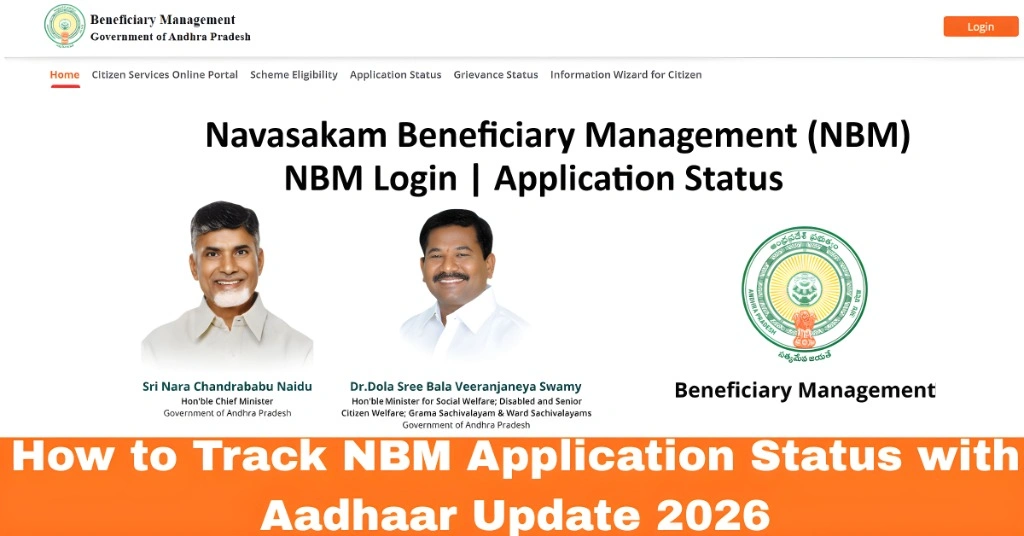
What Is the NBM Portal?
The NBM Portal was launched by the Government of Andhra Pradesh to make welfare scheme applications more accessible and transparent. This portal allows citizens to track the status of their welfare benefits, view eligibility, and update personal information.
When you apply for a scheme, you will often need to check your application status to know whether it has been accepted, approved, or is still under review. By using your Aadhaar number, you can easily check the status online without visiting any government office.
You can also read:How to Check Your NBM Application Status Update 2026
Step-by-Step Guide: How to Track NBM Application Status with Aadhaar
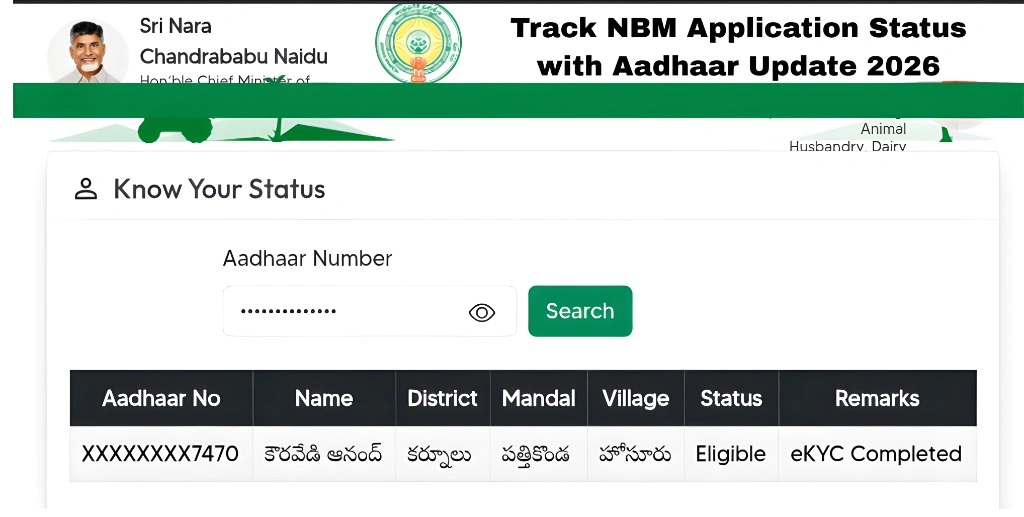
The first step in tracking your application status is to visit the official NBM Portal. This is where you can check the status of your welfare scheme applications.
How to Access:
You’ll see the Citizen Login page.
Open your preferred web browser.
Go to the NBM Portal through its official website (you can search for NBM Portal Andhra Pradesh).
Once you’re on the NBM Portal homepage, look for the “Track Application Status” or “Application Status” option. This is where you can check the progress of your welfare application.
How to Find It:
Click on it to move forward.
Look for the option labeled “Application Status” on the portal’s menu or under the login section.
To track your application, you will need to enter your Aadhaar number. Your Aadhaar number is linked to your application and will help the portal identify your specific details.
How to Enter:
After entering your Aadhaar number, click on “Submit” or “Check Status”.
On the Application Status page, you’ll see a field to enter your Aadhaar number.
Make sure to enter your Aadhaar number correctly, without any spaces or extra digits.
To verify your identity and ensure your privacy, the portal will send an OTP (One-Time Password) to the mobile number linked with your Aadhaar.
How to Enter OTP:
Click “Submit” to proceed.
Check your mobile inbox for the OTP.
Enter the OTP in the designated field on the portal.
Once the OTP is verified, the portal will display your application status. This status will let you know if your application is:
- Pending
- Under Verification
- Approved
- Rejected
You can also find other relevant details such as:
Status History (if applicable)
Scheme Name
Application ID
If your application is still under verification or pending, it’s a good idea to wait a few more days and check again. If your application has been rejected, you may be able to make corrections and resubmit.
Rejected: If your application is rejected, you might see reasons for the rejection, like missing documents. You can then contact the appropriate authorities or correct the issues and reapply.
Pending: This usually means that your application is still being processed. Keep checking back for updates.
Approved: Congratulations! Your application has been accepted, and you can proceed with the next steps, such as receiving benefits.
Tips for Tracking Your NBM Application Status
Double-check your Aadhaar number: Ensure that you’ve entered the correct Aadhaar number without any mistakes.
Keep your mobile number updated: The OTP will be sent to your Aadhaar-linked phone number. Make sure it’s active and accessible.
Check regularly: Application statuses can change over time. Make it a habit to check back after a few days to stay updated.
Save your application ID: If you need to contact authorities or visit an office, having your Application ID can help speed up the process.
FAQs
Final Words
Tracking your NBM application status with your Aadhaar number is quick and easy. It helps you stay updated on the progress of your welfare scheme application and ensures that you’re on top of important deadlines or actions.
By following these simple steps, you’ll be able to monitor your application status without any hassle. If you face issues or have any questions, don’t hesitate to reach out to the NBM support team or visit your local government office.