Navasakam Grievance vs Service Request: What’s the Difference?
If you’re using the Navasakam Beneficiary Management (NBM) Portal in Andhra Pradesh to apply for welfare schemes, you might come across two options when something goes wrong: Grievance and Service Request. These may sound similar, but they serve different purposes — and knowing that difference can help you fix problems faster.
What Is a Grievance on Navasakam Portal?
A grievance is a formal complaint you raise when something is not working correctly with your application or your data on the portal.
When Should You Raise a Grievance?
You file a grievance when:
When you file a grievance, the portal gives you a Grievance ID. This ID helps you track the complaint and see when it’s resolved. The NBM system is designed to ensure that officials check your grievance and update the data as needed.
In short, a grievance is about reporting an issue in your application or data.
What Is a Service Request?
A service request is the actual request for action that needs to be taken to fix the problem raised in your grievance.
Think of it this way:
For example:
In many cases on the NBM portal, you must raise both:
This two‑step flow ensures the issue is logged and then resolved properly through the right workflow.
You can also read: Navasakam Portal Support: Contact and Help Center (2026 Guide)
Grievance vs Service Request — Simple Difference
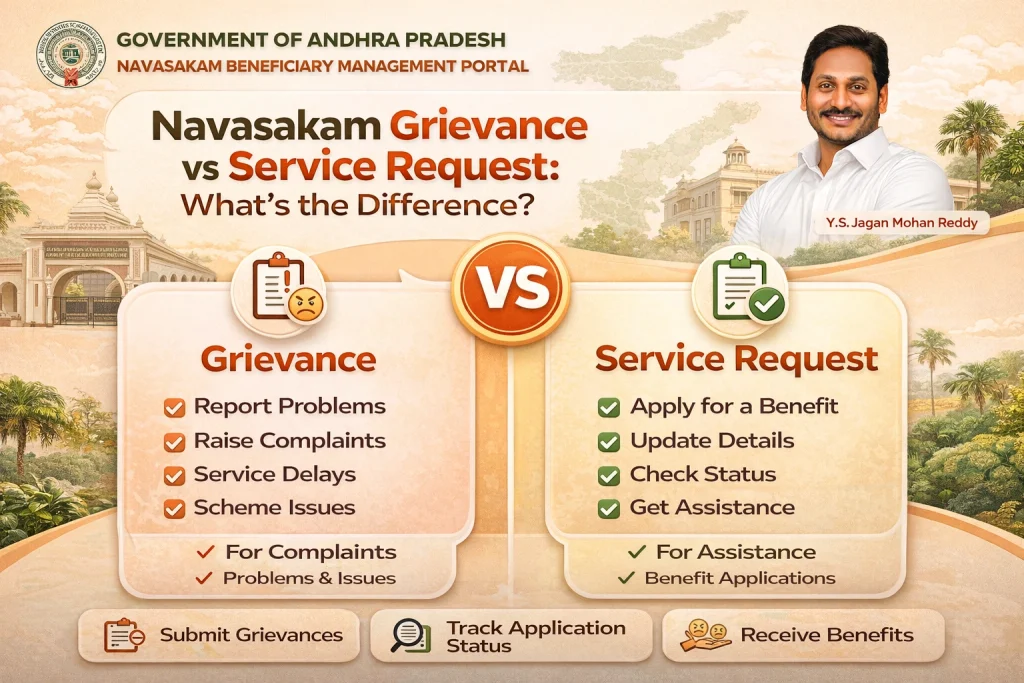
| Feature | Grievance | Service Request |
|---|---|---|
| Purpose | Report an issue or complaint | Request to correct the issue |
| Stage | First step | Second step (after grievance) |
| Output | Grievance ID for tracking | Service action performed by officials |
| Example | “My Aadhaar is shown incorrectly” | “Update my Aadhaar in the system” |
How the Process Usually Works
Identify a problem
– e.g., wrong application status, missing data
Raise a grievance
– Portal generates a Grievance ID
Provide documents
– You collect proof for correction
– You collect proof for correction
– Link the grievance ID and submit the required support
Officials take action
– They correct the data and close the request
Both steps work together to fix errors efficiently.
Tips for Filing Grievances and Service Requests
Tips for Filing Grievances and Service Requests
FAQs
Final Words
Understanding the difference between a grievance and a service request on the Navasakam portal makes it much easier to fix problems with welfare scheme applications. A grievance lets you officially report issues, while a service request helps you get those issues corrected by submitting the right documents and following the right process.
If you ever see incorrect information on your NBM profile or application status, start with a grievance. Then make sure you follow up with a service request so the correction can be completed.
This two‑step approach ensures your problems are not just logged but actually resolved — and helps you get your benefits without unnecessary delays.