Why My NBM OTP Isn’t Working & How to Solve It Update 2026
If you’re trying to log into the Navasakam Beneficiary Management (NBM) Portal and the OTP (One-Time Password) isn’t working, it can be frustrating. The OTP is an essential part of the login process, and without it, you won’t be able to access your application status or submit forms for government welfare schemes.
But don’t worry! In this guide, we’ll explain the common reasons why your OTP might not be working and provide simple, easy solutions to help you fix it.
Common Reasons Why NBM OTP Isn’t Working
There are several reasons why you might not receive the OTP or it might not work properly. Here are the most common causes:
You can also read: Troubleshooting Navasakam Portal Login Failures Update 2026
How to Solve NBM OTP Issues
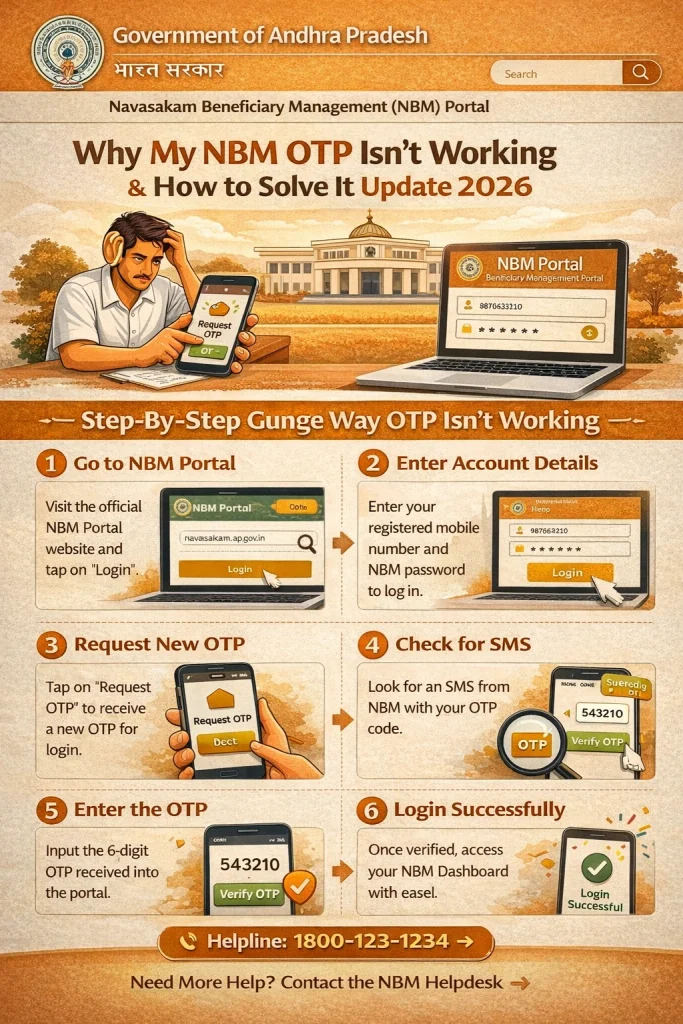
Now that you know the possible reasons for OTP issues, let’s look at how to solve them:
The most common reason for OTP issues is that your Aadhaar number is not linked to the correct mobile number. If your Aadhaar isn’t linked to the number you’re using for login, the OTP won’t be sent to your phone.
Tip: Ensure your mobile number is updated and linked with your Aadhaar. You can do this by visiting an Aadhaar Enrollment Center or checking the Aadhaar website.
Sometimes, a weak mobile signal can delay or block the delivery of the OTP.
- Tip: Try moving to an area with a stronger signal. You can also switch between mobile data and Wi-Fi to check if the problem is related to the network.
If you’re using Wi-Fi, try switching to mobile data, or vice versa, to see if that resolves the issue.
A small typo in the Aadhaar number can prevent the OTP from being sent. Ensure you’ve entered the correct 12-digit Aadhaar number without spaces or dashes.
Tip: Double-check your Aadhaar details before hitting the “Submit” button.
If you’ve been waiting for a while and still haven’t received the OTP, simply click on the “Resend OTP” option. Sometimes there’s a slight delay, and resending it may solve the problem.
Tip: Don’t click the “Resend OTP” button too many times. It might delay the process further or cause temporary blocking of requests.
If the server is experiencing high traffic, it may delay sending OTPs. In such cases, wait a few minutes and try requesting the OTP again. Also, try logging in at a different time of the day when the server is less likely to be overloaded.
Tip: Try logging in during off-peak hours (e.g., early morning or late evening) when there are fewer users.
Sometimes, browser issues can also affect OTP delivery. If you’re using an older browser or haven’t cleared your browser cache, it might prevent the OTP from being delivered.
Tip: Clear your browser cache and cookies, or try using a different browser like Google Chrome, Mozilla Firefox, or Microsoft Edge.
FAQs
Final Words
Dealing with an OTP that isn’t working on the Navasakam Portal can be frustrating, but it’s usually a simple fix. Whether it’s updating your Aadhaar details, ensuring a strong network signal, or clearing your browser cache, the solutions are straightforward.
By following the steps above, you’ll be able to resolve the issue and continue using the portal for your welfare schemes and application tracking. If you continue to face problems, don’t hesitate to contact Navasakam support for further assistance.
Good luck, and we hope these tips help you fix your OTP issue quickly!